

The Privacy Settings Worth Changing on Every Device You Own
R
By Roi Kad on November 11, 2026
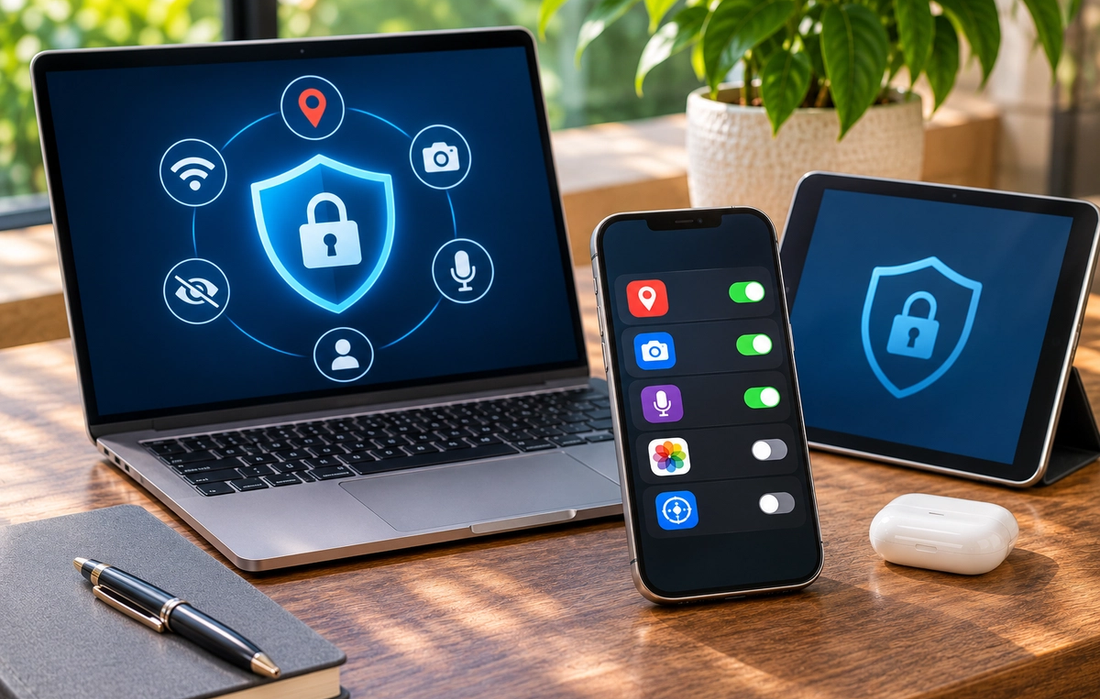
Most devices arrive ready to collect, sync, personalize, and share more information than you probably realize. That doesn’t mean you need to turn off every smart feature or become a privacy expert. A few settings can significantly reduce unnecessary data collection without making your phone, laptop, tablet, or smart TV frustrating to use.
Check Which Apps Can See Your Location
Very few apps need permanent access to your location. Maps and transportation apps obviously benefit from knowing where you are, but many others work perfectly well without it. Go through location permissions and switch unnecessary access off. For apps that genuinely need your location, choosing options such as “While Using the App” is usually more sensible than allowing constant background access.
Review Your Camera, Microphone, and Photos
Over time, it’s easy to forget which apps you’ve allowed to use your microphone, camera, contacts, or photo library. Review these permissions occasionally and remove anything that no longer makes sense. Where your device supports it, consider giving apps access only to selected photos rather than your entire library.
Reduce Ad Tracking and Personalization
Many platforms use activity across apps, websites, searches, and services to personalize advertising. Look through your device’s privacy and advertising settings and disable tracking or personalized ads where you don’t want them. This won’t eliminate advertising, but it can reduce how much of your activity is used to build an advertising profile.
Turn Off Unnecessary Background Access
Apps can continue doing things even when you aren’t actively using them. Review background activity, Bluetooth access, local network permissions, and automatic syncing. Restricting unnecessary access can improve privacy and sometimes battery life too. Smart TVs deserve particular attention, since features such as viewing-data collection may be enabled unless you change them.
Protect What Happens If Your Device Is Lost
Privacy isn’t only about companies collecting data. It’s also about preventing someone else from accessing your information. Use a strong passcode, enable biometric authentication where appropriate, turn on device-finding features, and activate automatic updates. For important accounts, use strong unique passwords or passkeys and enable multi-factor authentication.
You don’t need to make every device completely private to make a meaningful difference. Start with location, camera, microphone, advertising, background access, and account security. Ten minutes spent reviewing these settings can remove years of permissions you’ve forgotten about—and give you much more control over what your devices know and share.
Read More
The Shows Millennials Grew Up Watching (And Why They Still Hold Up)
Asaf Been|

The Websites That Defined the Early Internet (And Where They Went)
Roi Kad|

The Music That Shaped a Generation (And Why It Still Hits)
German Smolyar|

The Movies Every Older Millennial Can Quote Line for Line
Julian Doyle|

Why the Old Internet Feels So Nostalgic Now
Moran Sally|
The Cultural Shifts That Only Make Sense If You Were There
Drew Larson|