

How to Clean Up Your Phone in 10 Minutes
D
By Drew Larson on November 11, 2026
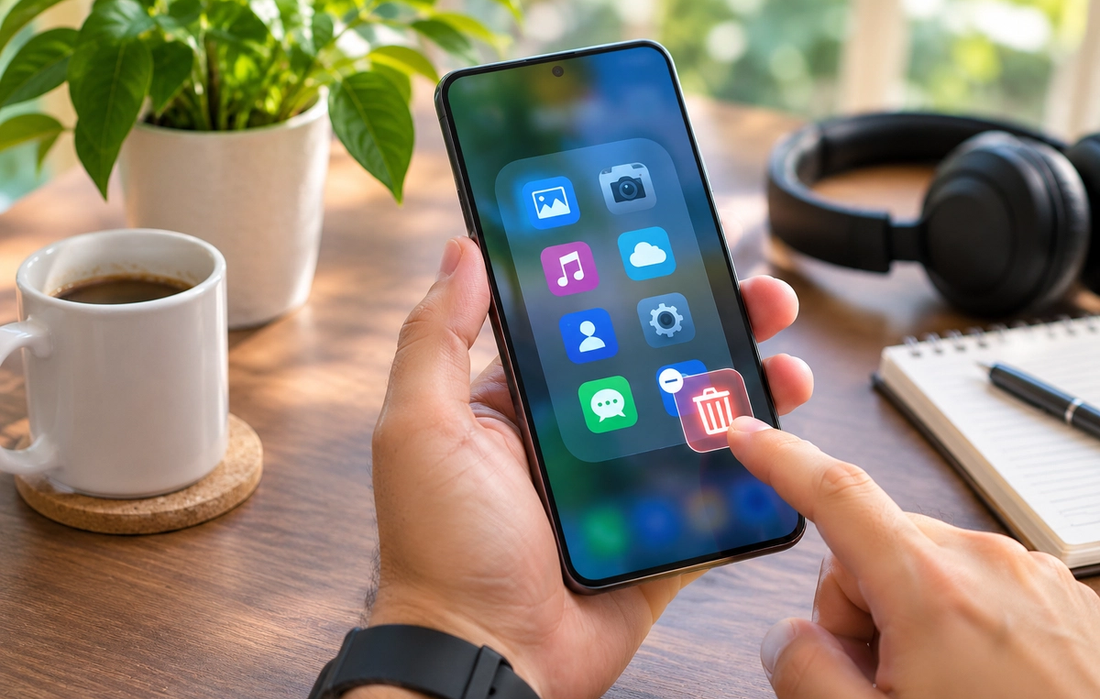
Phones accumulate digital clutter surprisingly quickly. Screenshots you needed once, apps you haven’t opened in a year, duplicate photos, old downloads, unread notifications, and dozens of browser tabs can make a device feel more chaotic than it needs to. You don’t need an afternoon-long digital detox to fix it. Ten focused minutes can make a noticeable difference.
Minutes 1–2: Delete Apps You Don’t Use
Start with the easiest clutter. Scan your apps and remove anything you haven’t used in months. Pay particular attention to games you abandoned, travel apps from old trips, editing tools you tested once, and apps that duplicate something your phone already does. If you’re worried you might need one someday, remember that you can usually download it again.
Minutes 3–5: Attack the Photo Library
Don’t try to organize thousands of photos in three minutes. Instead, go after the obvious waste: accidental photos, blurry shots, duplicate images, old screenshots, and videos you don’t need. Check whether your phone has a duplicates section that can speed up the process. Clearing a handful of large videos can free more storage than deleting hundreds of ordinary photos.
Minutes 6–7: Clear Downloads and Offline Content
Open your downloads folder and remove old PDFs, tickets, menus, documents, and random files you’ve forgotten about. Then check apps that store content offline. Downloaded podcast episodes, music, shows, maps, and videos can quietly consume gigabytes of storage long after you’ve finished with them.
Minutes 8–9: Fix Your Home Screen
Your home screen should contain the things you intentionally use, not every app you’ve ever installed. Keep essential apps visible and move distracting or rarely used ones away from the first screen. You can also remove unnecessary widgets and notification badges. A cleaner home screen doesn’t just look better—it gives fewer apps an opportunity to steal your attention.
Minute 10: Close the Small Loops
Use the final minute for whatever has been annoying you most. Close unnecessary browser tabs, clear old notifications, unsubscribe from an unwanted alert, or check your remaining storage. Don’t aim for perfection. The goal is simply to leave your phone slightly cleaner than it was ten minutes ago.
Do this quick reset once every month or two and digital clutter becomes much easier to manage. Your phone doesn’t need to be perfectly organized. It just needs to contain fewer things competing for your storage, attention, and time.
Read More
The Shows Millennials Grew Up Watching (And Why They Still Hold Up)
Asaf Been|

The Websites That Defined the Early Internet (And Where They Went)
Roi Kad|
The Music That Shaped a Generation (And Why It Still Hits)
German Smolyar|

The Movies Every Older Millennial Can Quote Line for Line
Julian Doyle|
Why the Old Internet Feels So Nostalgic Now
Moran Sally|
The Cultural Shifts That Only Make Sense If You Were There
Drew Larson|